Troubleshooting
Some things to try
Balance
Run the catchup.sh script first. If you're caught up but your validator is delinquent, then check your validator-keypair.json balance.
- Check the Identity Account balance...you need to pay fees out of this account to vote on transactions.
xandeum balance validator-keypair.json
Stake
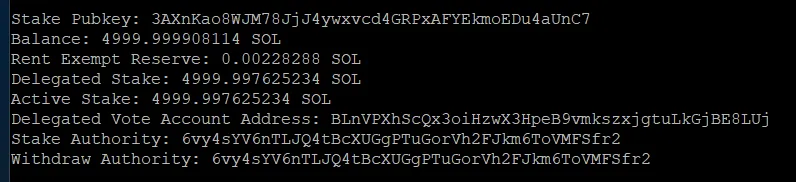
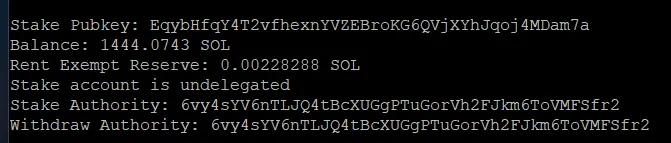
If you're online but not in the xandeum validators list, Check if there is any tokens staked to your vote account. If not, follow up with Labs to get you staked.
xandeum stakes ~/vote-keypair.jsonIf it shows a stake account, but has the phrase Stake account is undelegated then it means you were delinquint at some point and your stake was removed to lower the delinquincy level. See examples below.
Connections
Restart your validator and watch for the TCP connections to suceed:
sudo systemctl restart xand.service &&
tail -f ~/xand-validator.log | grep --color=always -B 10 -A 50 "Checking that tcp ports"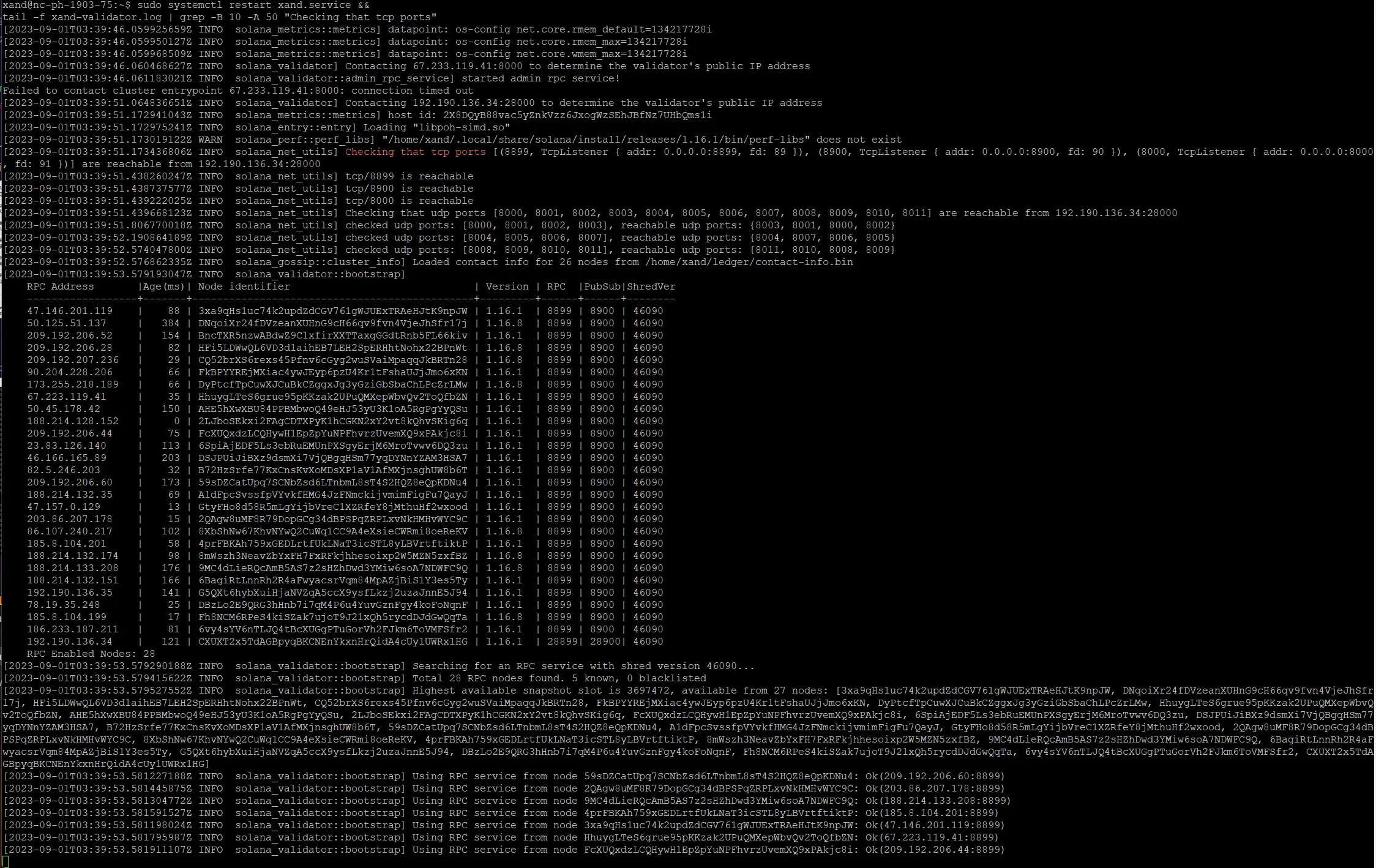
Look for the ports to be "reachable"
- tcp/8899
- tcp/8900
- tcp/8000
This will tell you a lot about your router environment. If it fails the first time, it will try again. UDP is important too, but usually the first indicator of trouble is TCP.